
New site taking too long to get indexed on Google: what to do
New site not indexed on Google? See realistic timelines, the full launch checklist, and what to do in the first weeks to speed up indexing.
highlights
- A new site can take from a few days to a few weeks to get indexed, with no guaranteed timeline.
- A new domain has no history or external links, so Google hands out crawl priority little by little.
- Verify the property in Search Console, submit the sitemap, and check robots.txt as soon as the site goes live.
- If more than four to six weeks go by without indexing, the problem stops being about waiting and becomes a technical or quality block.
A new site can take anywhere from a few days to a few weeks to get indexed, depending on how much Google can already discover the page on its own (internal links, sitemap) and on the complete absence of domain history and authority. There is no guaranteed timeline, and any article that gives you a fixed number without a source is guessing.
A new site with no pages showing up on Google is, along with "crawled but not indexed", one of the most repeated questions in SEO forums. And you can see both extremes in the reports: people with a site indexed in two days and people waiting months with no sign at all. The difference between the two groups almost always lies in decisions made (or not made) at launch.
Why this happens
A new domain has no crawl history and no external links pointing to it. Googlebot has no reason to visit the site often until there are signs it is worth it. This reflects how Google hands out crawl priority, based on perceived relevance, and a domain with no external signals starts from zero.
That means waiting passively rarely works. The actions you take in the first weeks carry disproportionate weight compared to what would happen on an established site.
Checklist before (and right after) launch
- Verify the property in Search Console as soon as the domain is live, even before the final content is ready.
- Generate and submit the XML sitemap through Search Console. See the right format in sitemaps: what Google reads and what it ignores.
- Check robots.txt. It is common for sites freshly migrated from a staging environment to go live with a forgotten
Disallow: /, blocking the whole site without anyone noticing. - Request manual indexing of the homepage through URL Inspection. It does not guarantee indexing, but it speeds up the first crawl.
- Make sure internal pages are linked from the homepage or the menu. An orphan page, with no link pointing to it, takes much longer to be discovered.
- Publish original content, not generic content. Copied or very shallow text is the most common reason for Google to crawl and decide not to index, even on a new site.
In practice: at launch, I always request manual indexing only for the homepage and one or two key pages. Requesting indexing for every URL at once does not speed anything up and also runs into the tool's daily limit.
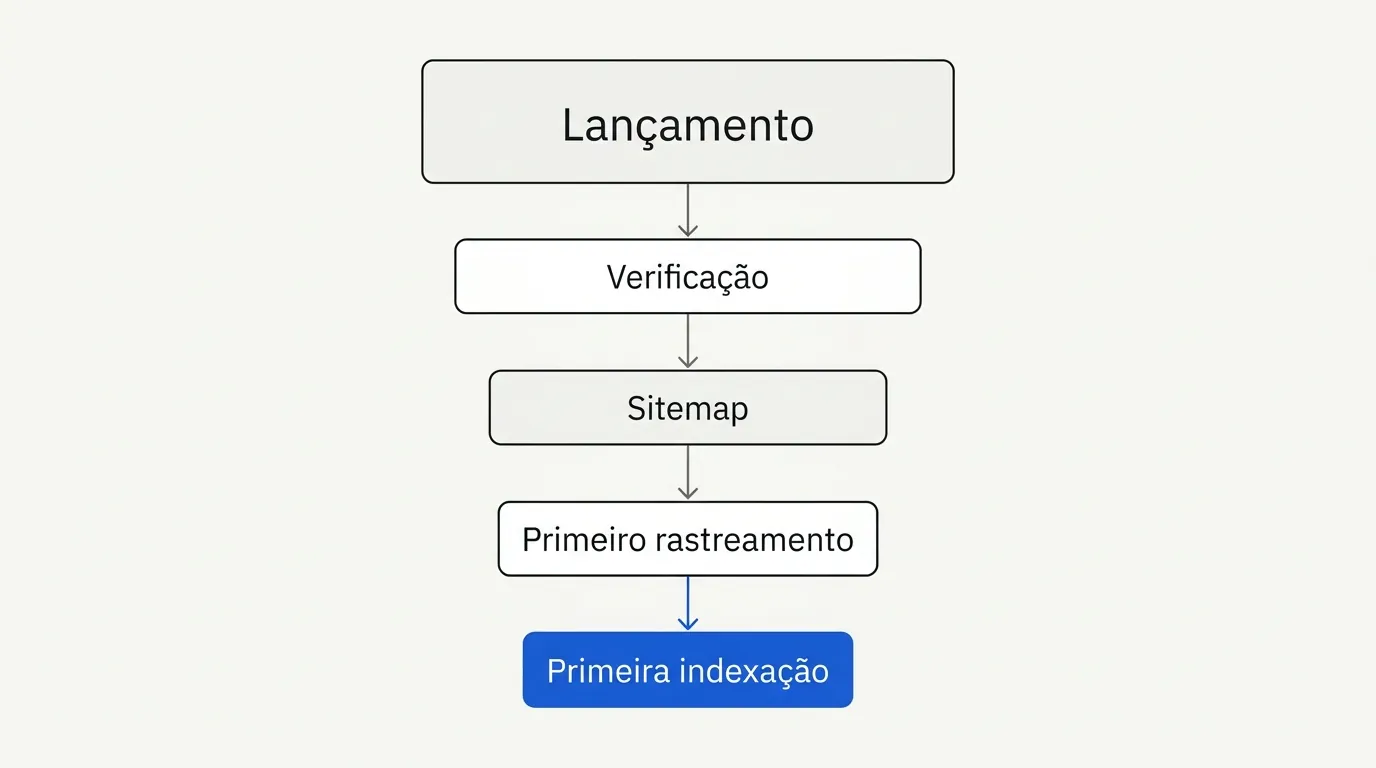
How long to really wait
Google's documentation talks about something between a few days and a few weeks, depending on the case. That is vague on purpose: domains with some prior authority (a redirect from an old domain, external mentions) tend to get indexed faster; entirely new domains, with no external links, can take much longer.
Be wary of any source that gives you a fixed percentage like "90% of sites get indexed in X days" without citing where the number came from. I have seen this kind of statistic show up in some agency articles with no traceable source, and I will not repeat a number I cannot verify.
What can be said with confidence: if more than four to six weeks have passed with no page indexed and you have already gone through the checklist above, the problem is no longer "just wait" and has become a technical or quality block worth diagnosing with URL Inspection.
What to do in the first weeks, beyond launch
Once the initial checklist is done, indexing a new site still depends on action, not just waiting. Some practices that make a real difference in this period:
- Publish with some regularity, even if little. A new domain that publishes once and disappears for months gives off less relevance signal than one that keeps some rhythm, however modest.
- Prioritize two or three well crafted "anchor" pieces of content instead of a dozen shallow pages. It is easier for Google to trust a few solid pages than many weak ones.
- Monitor the coverage report weekly in the first two months. It changes fast in this phase, and catching a technical block early avoids losing entire weeks of crawling.
- Avoid republishing or changing URLs often while the site is still being discovered. Each URL change restarts part of the trust process Google is building around that domain.
- If the domain is a migration (from another platform or domain), make sure the 301 redirects are complete before launch; this carries over part of the history and speeds up indexing compared to a domain starting from scratch.
Common mistakes that delay indexing of a new site
- Launching with a forgotten
noindexfrom a development environment. - Relying only on social media for promotion, without any link from a site with some authority pointing to the new domain.
- Publishing few pages with no navigation structure between them, which makes it harder for Googlebot to understand the site's architecture.
- Ignoring load speed. A slow server at launch counts against the site right from the first crawl impressions.
- Confusing "indexed" with "ranking". A page can get indexed fast and still not rank well for weeks or months. They are different processes.
Frequently asked questions
It is not mandatory, but it helps a lot. One or two links from relevant sites usually speed up discovery compared to relying only on the sitemap.
If the site has gone more than four weeks without any page indexed, I would stop waiting and run URL Inspection on the homepage. The status that shows up there (blocked, crawled but not indexed, server error) shows which path to follow, and the guide to Google indexing details each one.

Lucas Cassapula
Partner & Head of SEO at Wesearch and Co-founder of Mentionflow
I am a partner at Wesearch and co-founder of Mentionflow. I have worked with SEO for almost 10 years. I am a data-driven geek who is always testing hypotheses, looking for patterns and turning ideas into products. I share studies, experiments and automations focused on SEO and GEO.