
Blocking or allowing AI bots: the practical guide to robots.txt, Cloudflare, and logs
A practical guide to blocking or allowing AI bots with robots.txt and Cloudflare, understand GPTBot and ClaudeBot, and confirm who accesses your site via logs.
highlights
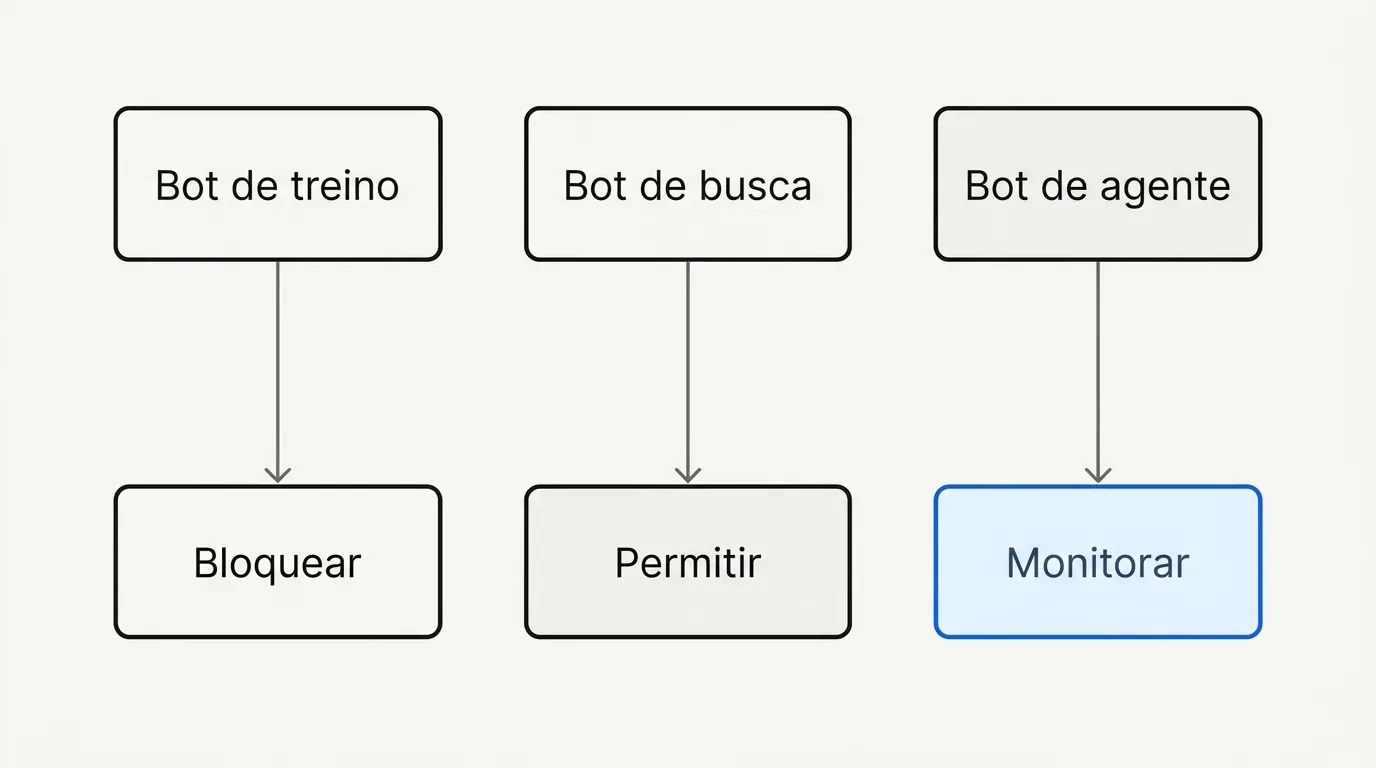
- GPTBot trains the model, OAI-SearchBot searches to answer live, and ChatGPT-User acts on behalf of the user, each one calls for a different decision.
- Blocking ClaudeBot does not block Claude-SearchBot or Claude-User, because each bot covers a separate function by design.
- robots.txt depends on the bot's goodwill; real blocking requires a server rule or Cloudflare.
- Confirm the bot is real by cross-checking source IP, reverse DNS, and behavior pattern in the logs before blocking anything.
There is no single answer to "should I block AI bots." There is a prior question: which bot, doing what. GPTBot trains the model, OAI-SearchBot searches to answer a live question, ChatGPT-User acts on behalf of a user inside a chat. Blocking all three together in robots.txt, as most sites do today, treats different things as if they were the same thing.
This guide separates bots by function, shows the robots.txt configuration for each scenario, and, most importantly, how to check in your server logs whether what you configured is actually being respected. Because robots.txt is a request, not a lock.
The three types of AI bot (and why the distinction matters)
Every major AI player maintains separate crawlers for different functions, precisely to allow this kind of selective control:
| Function | OpenAI | Anthropic | Perplexity |
|---|---|---|---|
| Trains the model | GPTBot | ClaudeBot | PerplexityBot (general crawling) |
| Searches live to answer | OAI-SearchBot | Claude-SearchBot | Perplexity-User |
| Acts on behalf of a user in chat | ChatGPT-User | Claude-User | - |
Blocking ClaudeBot does not block Claude-SearchBot or Claude-User. Blocking GPTBot does not block OAI-SearchBot. This is intentional, part of the design: the idea is to let the site show up in searches and answers (which can bring citation and traffic) without automatically authorizing that same content to become training data (seoscore.tools).
In practice, this turns the question from "block everything or allow everything" into three smaller decisions:
- Do I want to be used for training? For most commercial sites, the answer is no, and blocking it costs nothing.
- Do I want to show up when someone asks ChatGPT or Perplexity something? Here the answer is usually yes, because that is the source of a citation or a click.
- Do I want an agent to be able to move around my site on a user's behalf (filling out a form, completing a purchase)? This is the newest decision, and the one fewest people have stopped to think about.
In practice: start by blocking the training bots (GPTBot, ClaudeBot, CCBot, Google-Extended) and letting the search/citation bots through (OAI-SearchBot, Claude-SearchBot, PerplexityBot). Adjust afterward based on the logs, not before.
robots.txt in practice: ready-to-use configurations
Selective blocking (recommended for most content sites):
User-agent: GPTBot
Disallow: /

User-agent: ClaudeBot
Disallow: /

User-agent: Google-Extended
Disallow: /

User-agent: CCBot
Disallow: /

User-agent: OAI-SearchBot
Allow: /

User-agent: Claude-SearchBot
Allow: /

User-agent: PerplexityBot
Allow: /

User-agent: *
Allow: /
Full AI blocking (makes sense for sites that live on subscriptions, paywalls, or content licensing):
User-agent: GPTBot
Disallow: /

User-agent: ClaudeBot
Disallow: /

User-agent: Google-Extended
Disallow: /

User-agent: CCBot
Disallow: /

User-agent: PerplexityBot
Disallow: /

User-agent: OAI-SearchBot
Disallow: /

User-agent: Claude-SearchBot
Disallow: /
Two common mistakes break this configuration: placing the AI rules after the User-agent: * block (some parsers stop at the first block that matches the bot), and forgetting that a Disallow: / under the wrong user agent can end up blocking a bot you wanted to keep.
The mixed-crawler dilemma
One point no technical guide truly resolves, and one that has come up repeatedly in SEO discussions on Reddit, is the crawler that serves two functions at once. The traditional Googlebot feeds both the search index and AI Overview. Blocking that crawler to stay out of AI training also pulls the site out of the regular search index. There is no way to pick just one of the two with a robots.txt rule, because Google uses the same crawler for both.
This is different from Google-Extended, which exists precisely to separate "training the Gemini model" from "appearing in search." If your goal is to stay out of Google's AI training without leaving the index, Google-Extended is the right rule, not standard Googlebot.
Beyond robots.txt: Cloudflare and server rules
robots.txt is an invitation, not a lock: the bot has to read the file and decide to comply. Bad-faith bots simply ignore it. To actually enforce blocking, there are two additional layers:
- Server rules (Nginx/Apache). Block by user agent directly at the server, returning 403 or even 444 (closes the connection with no response, cheaper on resources) before the request reaches the application.
- Cloudflare. Offers AI scraper blocking with a single switch in the dashboard, with no code or server changes needed (datadome.co).
The caveat here, seen repeatedly in reports from people who run large sites: automatic "block every AI bot" rules at the WAF or CDN level have caught Googlebot and Bingbot in the crossfire, because some of these AI crawlers share IP ranges or user-agent signatures similar to legitimate search crawlers. Test the rule in "log only" mode before turning on actual blocking.
How to confirm who is actually knocking on your door
Any bot can declare whatever user agent it wants. "GPTBot" in the request header proves nothing by itself, it is just a claim. The real way to verify it is to cross-check three things:
- The source IP matches the ranges published by the company (OpenAI, Anthropic, and Google publish IP lists or verification files).
- The reverse DNS of the IP resolves to a company domain (for example, something ending in
.googlebot.com, verified with forward-confirmed reverse DNS). - The behavior pattern is consistent with a real crawler (respects delay, does not try to access admin areas, does not pretend to be a regular browser).
A simple command to start actually looking at the logs, instead of trusting robots.txt alone:
grep -i "gptbot\|claudebot\|perplexitybot\|ccbot" access.log | awk '{print $1, $(NF-2)}' | sort | uniq -c | sort -rn | head -20
This shows, by IP, how many requests each declared bot made. If a very high volume shows up from IPs that do not match the official ranges, that is a sign of a spoofed user agent, not the real bot.
Monitor before blocking everything
Before shutting off the tap, it is worth running at least two weeks of monitoring without blocking anything, just logging. That answers three questions most sites have never checked: how much of the server load actually comes from AI bots, which pages they access most (usually FAQ, documentation, and comparison pages, not the homepage), and whether any of these bots are generating return traffic through citation, which you will only notice by cross-referencing the logs with the data in brand visibility in ChatGPT and Perplexity.
Frequently asked questions
Not necessarily. ClaudeBot is the training crawler. Claude-User is the agent that acts on the user's behalf inside a conversation, and it has a separate entry in robots.txt.
Before touching any robots.txt rule, spend a few weeks looking at the logs with the command above. AI bots change behavior often, and a decision based on log data ages better than a configuration copied from another site. This guide is part of the pillar GEO in practice: how to get crawled, understood, and cited by AI search engines.

Lucas Cassapula
Partner & Head of SEO at Wesearch and Co-founder of Mentionflow
I am a partner at Wesearch and co-founder of Mentionflow. I have worked with SEO for almost 10 years. I am a data-driven geek who is always testing hypotheses, looking for patterns and turning ideas into products. I share studies, experiments and automations focused on SEO and GEO.